I want to start working out at home. But there are so many apps, I don’t know which one to choose.
Apps that tell you the routine. Apps that record weight and reps. Apps that can analyze your records.
The first thing to consider is what you want the app to handle for you.
In this article, I compare Hevy, Kintore MEMO, and Home Workout based on how they are used for home training.
What you will learn in this article
-
What each of the 3 apps excels at
-
What to check when using each one
-
How to choose the app that suits you and apply it to your next workout
* Kintore MEMO and Home Workout are based on my impressions during this trial, while Hevy is introduced based on verification in my usage environment and official information.
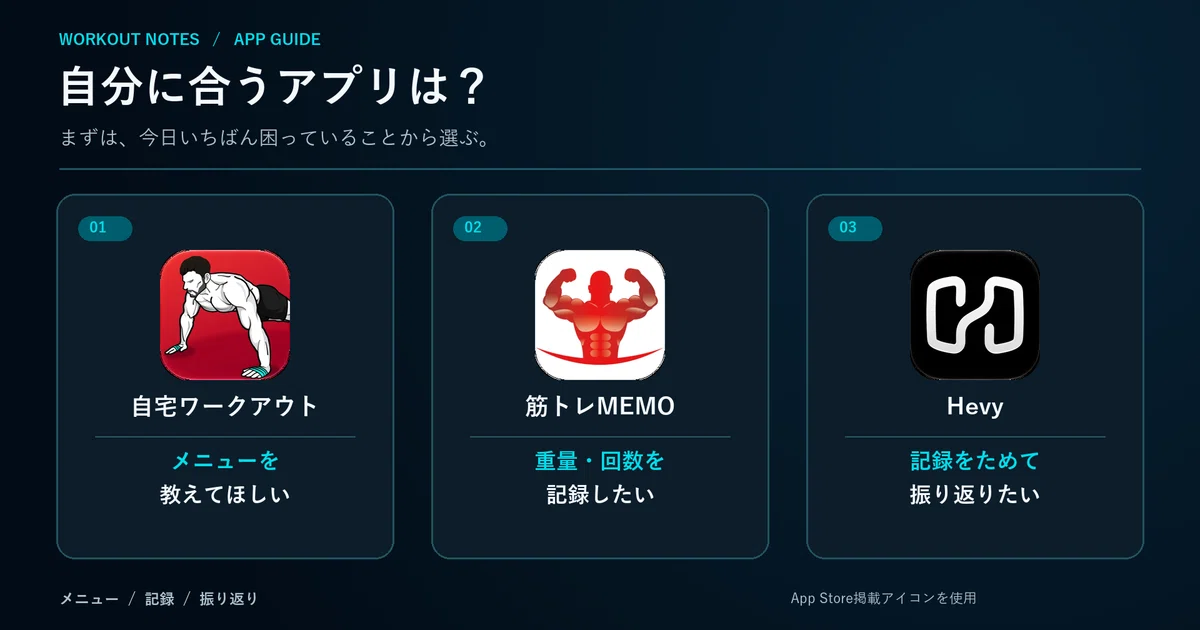
If you’re unsure, choose based on whether you want ‘routine, recording, or analysis’
You can narrow down your candidates by choosing based on the problem you want to solve first.
-
I want to know what to do → Home Workout
-
I want to save the weight and reps for exercises I decided on myself → Kintore MEMO
-
I want to accumulate records and look back on them later → Hevy
Even among workout apps, the stage where they help you first is different. Let’s look at the screens in order.
Home Workout is for people who want to decide ‘what to do’
‘I want to train at home, but I don’t know the exercises or the order.’ In that case, apps that guide you through a routine become candidates.
[Trial] In Home Workout, a plan was suggested after answering initial questions. Since you can proceed while watching the exercise guidance, it seems easy to use for people who just want to start moving their bodies.
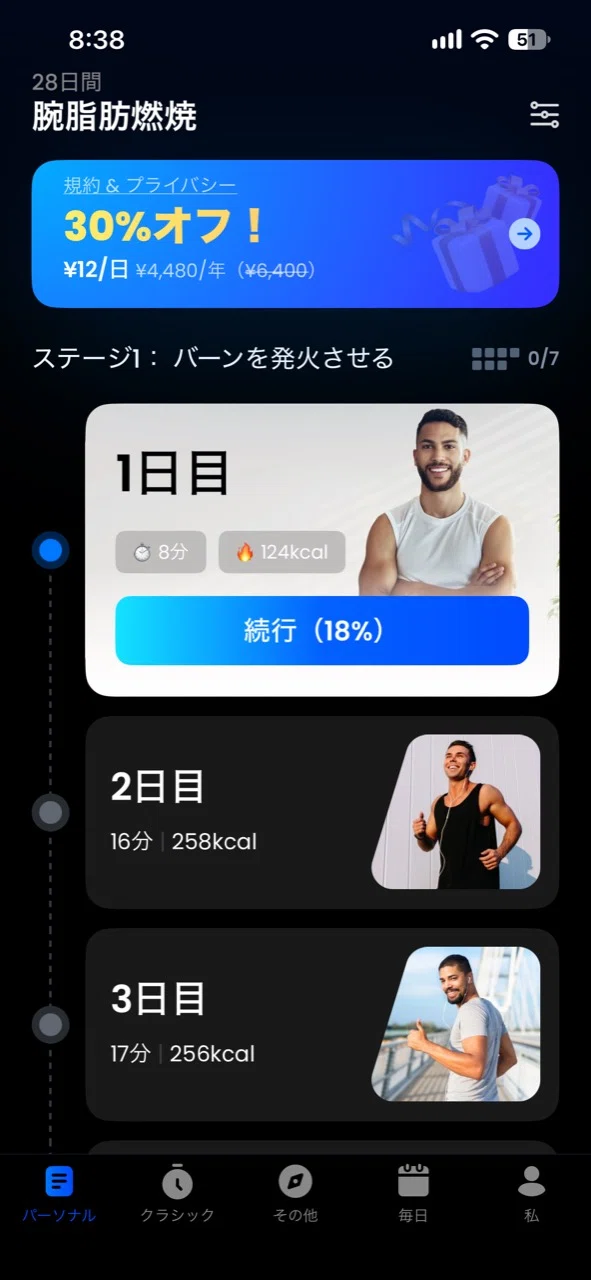
▲ The displayed plans and prices vary depending on the time of use and conditions.
Try it out to see if the amount of guidance suits you
I was able to use it without creating an account during the trial. On the other hand, there were many initial questions, some awkward Japanese phrasing, and moments where I felt there was too much voice guidance.
The method of freely recording the weight and reps for exercises you choose yourself was provided under the premium plan during this trial.
Best for: People who want guidance on what to do at home first.
Kintore MEMO is for people who want to save the weight and reps of specific exercises
If you are the type who says, “I decide my own routine. I just want to save today’s results,” then Kintore MEMO is a candidate for you.
[Trial] When I tested it this time, I was able to start recording without registering an account or going through long initial questions. According to the official description, you can check your history and graphs in addition to weight, reps, and whether you used assistance.
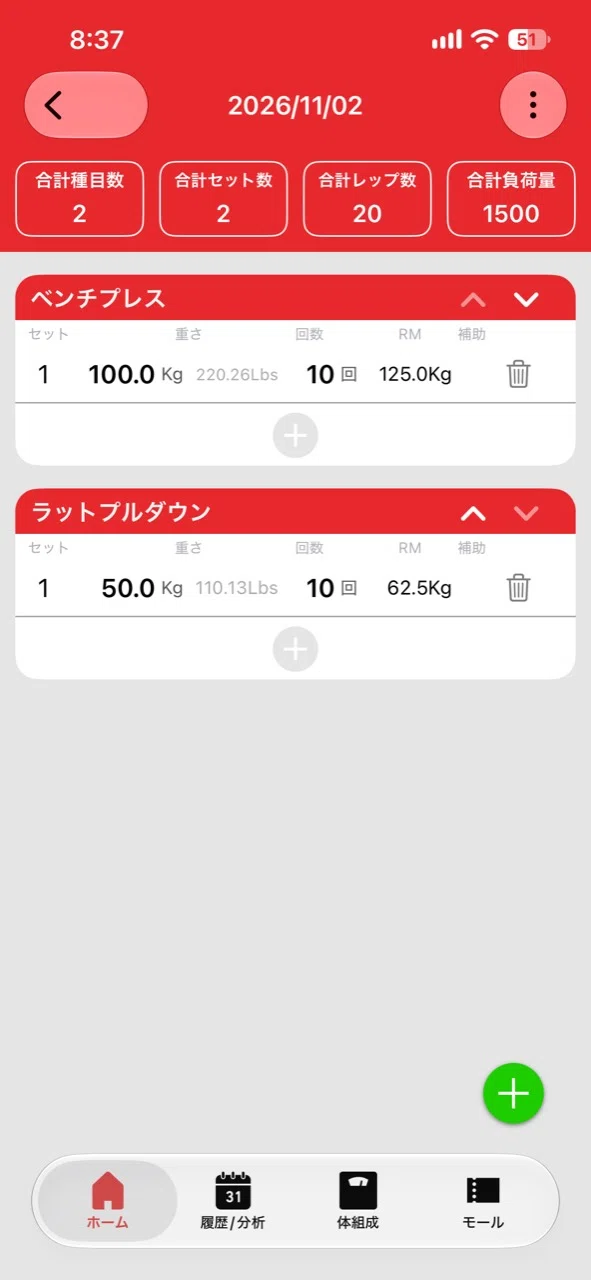
▲ RM is an estimated value and is not necessarily the maximum weight actually lifted.
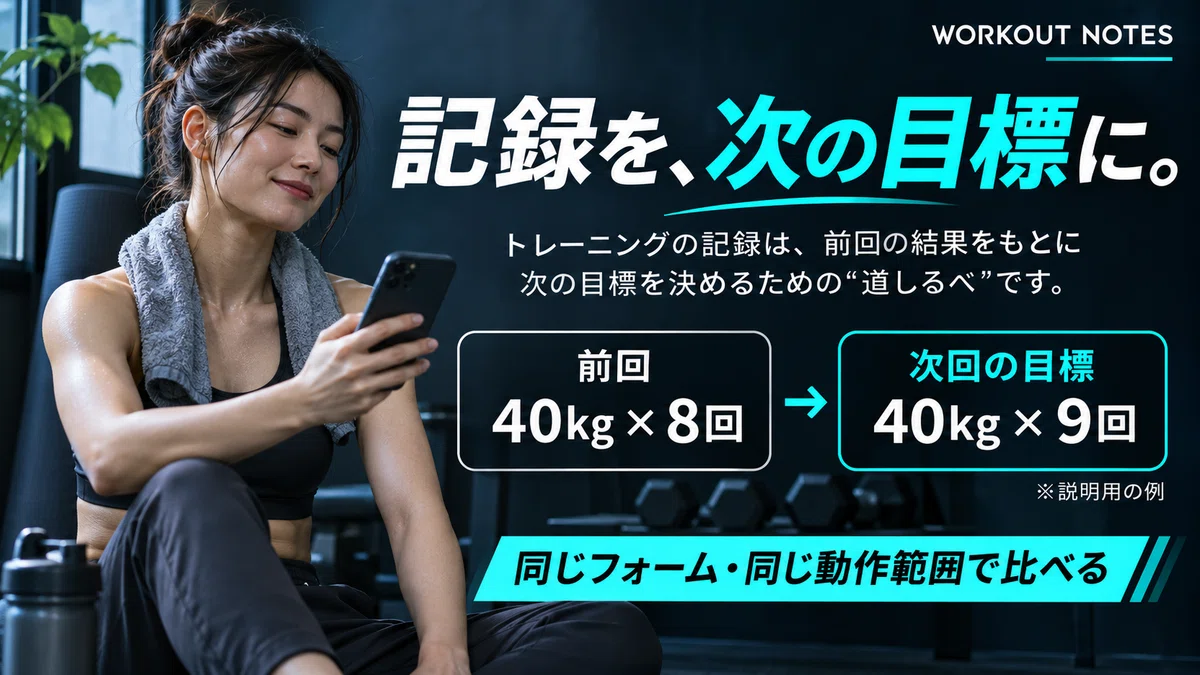
Turn your previous record into your next goal
For example, let’s say your last bench press was 40kg x 8 reps.
Next time, aim for 40kg x 9 reps with the same form and range of motion.
This is just an example for explanation, but if you keep records, you can notice changes in reps even if you don’t increase the weight.
Some features, such as online backup, require a premium plan. In the Japanese App Store I checked this time, it is listed for iPhone. Be sure to check how to transfer data when changing devices.
Best for: People who want to choose their own exercises and record the weight and reps.
Hevy is for people who want to accumulate records and look back on them
Hevy is an app that allows you to manage training records and routines. It is an option for recording dumbbell or bodyweight training at home as well.

▲ The entry points for new training sessions and routines are lined up.
You can ask ChatGPT about changes in your records
The official Hevy https://gymforcestore.com/ provides guidance on an integration that allows you to ask questions about your training history within ChatGPT. I have confirmed that even in the WORKOUT NOTES environment, you can read your history through the connected Hevy integration.
For example, you can ask questions like this:
“How have my reps changed for the same weight on bench press recently?”
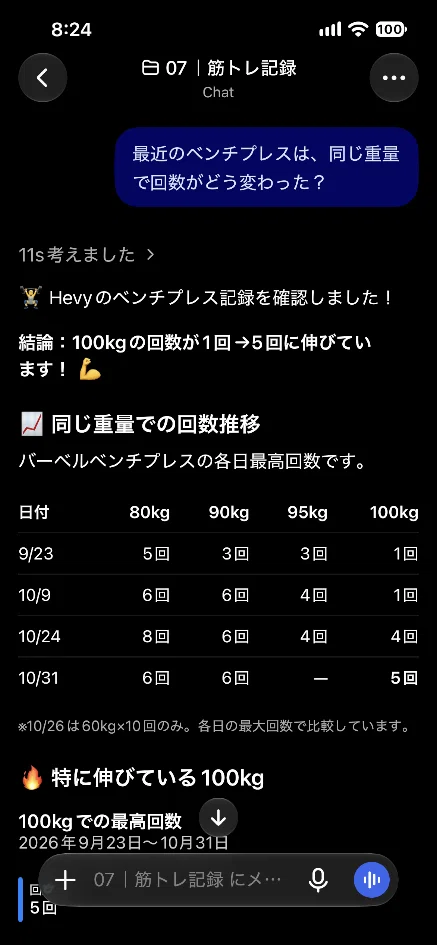
When comparing the AI’s answer with your original records, consider factors not in the logs, such as your form or physical condition. Please check the availability and conditions of the integration in the environment you are using.
Check the limitations of the free version first
According to official Hevy guidance, the free version is limited to 4 routines and 7 custom exercises. Data history is limited to 3 months. Since features and pricing can change, check the official guidance and in-app displays before using.
Best for:People who want to accumulate records and look back on changes in weight and reps.
Choose your first one based on today’s needs
What matters when choosing an app is not the number of features, but whether you can use it for your next workout.
-
Unsure about the menu → Home Workout
-
Want to save weight and reps → Kintore MEMO
-
Want to analyze past records → Hevy
Start by choosing one, and try recording just your next workout or trying out a suggested menu.
Choose → Try → Reflect.Repeating this is the first step to finding a routine that works for you.
At WORKOUT NOTES, we think about strength training through science and record-keeping. If you found this helpful, please follow us.
Follow WORKOUT NOTES
Record. Analyze. Get stronger.
《TRACK SMARTER. TRAIN STRONGER.》
WORKOUT NOTES|SCIENCE LAB